We're moving in the direction of apps being a bit like games: a fast native core that's relatively generic and platform specific but available on major platforms, and "scripting" that's cross-platform and specific to the application and use-cases being solved.
If we agree that this is a useful approach to take for developing cross-platform applications, and I think it is for most, are web technologies the best way to achieve this or is there a better alternative?
Web tech has the advantage that when you don't have that "game engine" you can still run in a browser, but with these engines getting better, more storage, more use of app stores, and the fact that these apps are very much that, apps, and not publicly indexable web content, maybe this isn't a useful advantage anymore? Web tech also brings a number of disadvantages, such as a different security model and unnecessary legacy compatibility that holds back modernisation.
I hope we learn the lesson of Blizzard but it doesn't seem we really are.
For the scripted part of the application, you can allow 3rd party plugins. If you do, you should keep tabs on the success of different solutions in this Marketplace of Ideas. You should absorb (probably native code) the ideas with the broadest appeal. But don't forget to find a way to compensate the person whose plugin you just deprecated.
Anything you don't know will stick, should be done on the cheap, and in a problem space where porting is expensive, scripting seems to be the winning strategy. And some commentary from various game authors suggests to me that the scripting language also opens up some development parallelism that is harder to get with an API.
We get the majority of the features of jQuery in HTML 5, and I bristle a bit when people try to act like jQuery is dumb. jQuery won. We are here now because of jQuery. It is useful even if you never use it, maybe especially so.
Web tech also means that the Tauri devs can stand on the shoulders of giants. Billions of dollars and billions of man-hours have gone into the development of web tech.
It's not perfectly aligned with the use case, and those billions have not been efficiently spent due to competing interests and design-by-comittee, but you're going to have a really hard time matching that investment.
Great observation and questions. What would you put in place of a WebView core?
I know very little about this but I assumed one advantage to doing it this way would be that browsers have to access the same web and thus conform to some kind of web standards, making your cross-platform core achievable. What else could you reliably expect to be on a Windows/Linux/MacOS install with enough shared DNA or similar feature set to build your engine?
If we're building a new cross platform engine for these sorts of applications, then we get to define those standards.
Electron essentially "bootstrapped" a standard environment from things people were already familiar with, but my point is that this may not necessarily be the best way forward in the long term because the requirements on the web don't match the requirements of desktop apps anymore.
I think a new engine here would need to provide things like a UI model, filesystem access, OS interoperability (e.g. open/save dialogs, drag and drop), maybe sound/video, things like that. Web tech gives us these things, but they were all designed to run in browsers, not app-specific instances, so they have additional security/sandboxing requirements[1], they don't necessarily expose great multi-threading primitives because JS doesn't have any concept of these, and they do have a bunch of complexity around the notion that resources all used to be served up by a remote server, but are now embedded in your application.
[1]: This means that Slack on a Mac is sandboxed at the macOS level and the Blink/Chromium level. There's no need for the latter, and it adds complexity and performance overhead.
A new rendering engine is indeed one of the areas of the research at tauri. For now (and until 1.0 at least) we are sticking with the webview, because we want to have an alternative to electron that is safer and is well-known enough to be stable across platforms for the foreseeable future.
Regarding what an a new engine would have to provide, as a matter of fact, Tauri does offer cross-platform APIs for the filesystem, notifications, CLI, etc. These are all rust based, and available from JS.
I do have to disagree though, in one point, and that is that your single threading comment is only true in the webview. Technically, you have the entire strength of the underlying OS available to you from rust, and that is indeed where I recommend devs do all their heavy lifting. This is one of the benefits of using a polyglot system and an inherent security benefit.
Hi, thanks for your work, Tauri looks nice and it's good to have some competition for Electron.
My comment was quite "blue-sky", I'm not necessarily suggesting any of it for Tauri, but I think it's a useful thought experiment. If we weren't trying to be compatible with web tech (because I don't think we necessarily need to be), what would we change?
For example I think we'd probably not use JavaScript. JavaScript has improved a lot in the last 10 years, but it still has a lot of warts that are there explicitly for backwards compatibility with the web. If we're not trying to build for the web then we have so much more we can do.
While I think in Tauri pushing developers to put heavy lifting in Rust makes a lot of sense, similar to scripting a game engine we typically want to do this sort of thing as little as possible.
Without plugging away at a specific language, I'm a fan of https://github.com/hecrj/iced. It's native cross-platform (Linux/Windows/Mac) and compiles to wasm for web support. Native as in no web rendering - it renders its own widgets via wgpu - but that's the compromise for easy cross-platform support.
You use one interface for generic compatibility. This doesn't work for all cases, so you can also choose to add platform-specific code via conditional compilation to make sure that each platform's specifics are handled with intent, where you need to do so.
It's exactly what you're looking for. Early stages - file support is a little rusty (pun intended) - but it's coming along fast.
Does it have accessibility support? Generally the answer is 'no' for virtually all novel UI toolkits, especially immediate mode ones. I really love imgui but the lack of accessibility support means it can't be used on 'serious' projects that might ever be used by anyone visually impaired.
We're using it for an internal prototype. It's not a great story right now: https://github.com/hecrj/iced/issues/282. But it _does_ support basics for HTML, and ARIA could be added.
I disagree. If you follow the game engine analogy/thought experiment, I think there's much more that could be done.
There's a language, yes. There's also a runtime. There may be an interpreter depending on the language.
There's probably also a defined way of getting UI on to the screen in a platform independent way. There's probably also higher level concepts, maybe something that works a bit like a service worker, to use web terminology. There's likely to be a database of some sort, an app deployment system, software updates.
I'm not proposing a specific technology, but rather pointing out that there are a lot of parallels, and by realising that we're now using web technologies for shipping apps that aren't otherwise websites, maybe we could open up a lot of new potential solutions that might be even better.
Games are simulations, arguably the hardest paradigm of software. Games have always included user interfaces, and in many cases they are just user interfaces. Web apps for the most part are also just user interfaces. React has basically adopted the equivalent of a game loop architecture. I guess the only thing holding back web apps becoming basically game engines are search engines like Google indexing different parts of it. In other words, search engines are better adapted to index and make sense of files on a computer, rather than a runtime simulation of some kind.
Maybe a bit off-topic for this comment but I really like (most of) the web's security model and I wish I had the same on my desktop. Specifically I'd like a strong per-program permission model, ideally in some sort of pluggable fashion (like, have a configurable chain of programs determine other programs' permissions, à la middleware).
You could take this to the extreme and have every program run in a "pure" fashion per default (i.e. no inputs other than command line args - no outputs other than the exit status).
The thing is most companies would want to have a web presence anyway. It's just easiest exposure and people have to be willing to install a software - visiting a website not so much.
So if you're building these cross-platform apps on anything other than the Web stack people will still have to have different code bases for native and web which kinda defeats their purpose.
So I don't think you have any real alternatives until there's other technologies on the web or wasm can do everything.
As I kind of alluded to in my comment, I'm not sure many of these things need to be web apps. OS level sandboxing has come a long way in the last ~10 years, and need fewer of the benefits of the web (like publicly addressable resources), and more of the benefits of desktop apps (like filesystem access). Web tech is improving its support for the latter, but I think we could do better if we designed a system today, rather than using one mostly designed between 95-05.
For the browser neither disk space nor memory usage are in top 10 of list of priorities.
On the first place in the list, by the way, is safe browsing experience. Rendering is only the second. And that one is the reason why browsers create separate processes for each window/tab. And that one is quite against low memory usage and longer battery life.
Browser are designed for the case when user interacts with them "full screen" - as the main application on desktop and so design decision are focused on that.
Browser can afford multithreading/multi-processes but far not all applications can afford loading all CPU and GPU cores for rendering "Hello world".
That's why people who use VSCode prefer more lightweight solutions for "config file editing" scenarios.
It’s not a browser. It’s a webbview-driven GUI library. The platform webview is in charge of rendering the UI thread; or more, if the programmer desires. No idea where “safe browsing experience” factors in here.
Please don't take it the wrong way but using the same logic gaming engine are not native either because they have a scripting component to draw all the widgets on the screen.
I get exactly what you mean though but I find this logic difficult to understand. ;)
Yes but the counter argument here is that games are all extremely custom anyway and it makes sense for them to render their UI completely from scratch in a blank canvas.
For typical applications the blank canvas/from scratch approach does not result in the best outcome. Each platform has HIGs, native UI toolkits etc and those are what should be used, I assume that's what the parent is getting at.
Unfortunately it's a one man band. The author has done great work but it has little support. IMHO it's the only sane UI effort for desktop in the world.
And who is best to decide what is best for the application but the developer who created it? If I want to create an app that looks like a game and just happen not to run fullscreen why should we even discuss conformity with native UIs as a feature? The user have the right not to bother installing the software if they don't like it.
The whole argument is just silly. Are shell scripts native? And if my compiled binary prints a control character in the terminal screen that is not supported by the terminal you use, does that mean that the binary is not native because it does not conform with the expected behaviour?
I know that I am not convincing anyone with this comment but it is fascinating to see people having such a constrained view on software. Software is what you make out of it and sometimes its weird looks and behaviour is what makes it special. There are many such examples.
Let's drop this "not native" argument and simply talk about not having the same performance because JavaScript is interpreted.
Javascript being interpreted is not a big deal for most UI (it's not like your code has to be in JS, it just needs to interop with it for the UI) and JS has been optimized more than most languages (eg it'll run circles around "desktop" languages like Python that don't ffi to C libraries).
The problem is the non-nativeness of it more than anything else. It's also what brings the bloat and the slowdowns because everything is reimplemented from scratch.
Of course everyone is free to build apps in whichever way they want, others are free to take issue with it.
My argument here is that these "blank canvas" cross platform UI toolkits are trading an improved developer experience for hard to spot, but very real, user experience issues. A very concrete way in which many "blank canvas" cross platform UI fails the user is accessibility especially on platforms that are renowned and used for their good accessibility like iOS. There's also memory and energy consumption concerns with solutions that abstract over native tooling at the cost of increased memory and energy use, you could argue this is unethical or at least needlessly limits your addressable market by locking out segments of world.
Not all users are in charge of the apps they have to use either so the argument that they can chose to not install an app doesn't hold water.
The iOS SDKs provide a number of features that increase developer productivity, many of which are related accessibility because this is what iOS SDKs are all about. It is not like the iOS OS automatically does all of the work for you, it is the libraries and how you use them! Without the libraries, you have to implement these features yourself.
Equally, the web platform increases developer productivity by providing an easy to use cross-platform UI libraries you can use whichever way you like. The leverage is different - it is still leverage no different than the iOS SDKs. Without these libraries, you have to write it all by yourself.
We are looking at the same thing from two different angles, hence why I find the argument silly. Everything is native if not emulated. We can argue about performance or the conformity with style guides and UX best practices but to brush off the web as irrelevant software development platform is crazy given that you can attribute a lot of the progress we made over the recent history due to the progress and standardization of web technologies. There is still a lot to do but, guess what, to create an open cross-platform programming environment with such a large adoption is a pretty difficult task.
From a UX perspective, there is frankly no particular reason for all apps to look and behave the same. Your browser is open 100% of the time, it occupies 30-50% of the screen estate, yet 99% of the UX is custom and significant changes from one web page to another. I don't think that bothers anyone.
> There's also memory and energy consumption concerns with solutions that abstract over native tooling
I agree that the web can be made greener but you can write an equally sloppy app with Swift and Objective-C. But here is the question for which I have no answer. Is it ethical to write the same software in 3 different ways due to platform differences and does that contribute to a larger carbon footprint than one app that is written sloppily with web technologies? Maybe we will never know but it is an interesting question don't you think?
> Not all users are in charge of the apps they have to use either so the argument that they can chose to not install an app doesn't hold water.
And luckily no one is in charge of what software people should write and how they should write it.
By your logic, all apps that run on a computer are "native apps", because they are somehow using the native features of the computer to render the webview.
When you say "native" apps in this context, it 100% refers to non-webview based apps.
My point is that when an app developer adds the "native" qualifier to describe their product, it means they are trying to emphasize that aspect.
> Are Norton Antivirus, Avast, BitDefender and other are native applications in your classification?
None of these companies call their apps "native apps". They are just apps, and they are not lying. But unnecessarily adding the "native" qualifier when it is not "native" is false advertising, and that's what i'm pointing out.
Companies like Slack don't falsely advertise their apps as "Native apps". They instead own it 100%. If Slack called themselves "native app", a lot of people on HN will probably throw stones at them for lyiing.
You're still using analogies to make a point? You still don't get my point.
Let me try one last time. When you call yourself a "toolchain for building native apps", what people are expecting is not another Electron like scheme. If electron called itself "a toolchain for building native apps", people will say it's false advertising.
I find it interesting that many people hold so tightly onto the "it is not native unless it is written entirely in %my_favorite_language%". I think a little controversy is good, but what the heck does native mean anymore? Wasn't it really invented as a kind of "shaming" because front-end developers were never considered "real programmers" and when hybrid apps came out some folks felt the need to line their pockets with this differentiation?
Don't get me wrong, I am very well acquainted with the tragedies of JS - and the propensity of amateurs to just "do it all" in a single-threaded webrenderer. In fact, I think that this is why most of the first and second generation "web-apps" built on cordova and electron were such poor performers.
But nevertheless, what we are trying to do with Tauri is to open up the boundaries between development communities and leverage the particular strengths of each of them. So if you don't feel Tauri is "native" enough, then maybe you are missing the point.
In this context, it means that it uses the UI toolkit provided by the OS/display env to do it's UI rather than opening a custom rendered surface and doing it all manually in your app (as a browser engine does). That includes using the browser engine on the system.
There's a weird impedance mismatch in the UIs of any non native apps that comes simply from recreating the UI elements and not using the system provided ones. This isn't an aspect of trying to 'feel superior' to JS devs, but a reflection of the real trade-offs of the technique. And I say this as the lead from a traditionally systems oriented team that's about to ship our first electron app. We took a look at the costs, and decided that in this particular case the tradeoffs were worth it, but it's not an easy decision.
And one thing I'll say is that a piece of what makes electron attractive at the organizational level is the fact that it doesn't use the system libraries. That greatly reduces QA burden by not having a spread of different versions of underlying infra to deal with. As an enduser I'd love if all the chrome/blink based apps on my machine (let's see, chrome, spotify, vscode, slack are all running) shared resources, but if they had to test against different versions of runtime or each version of their code they released, they probably wouldn't be using this model in the first place.
Font size is wrong. Colours are wrong and 250% too many. Hover/active state is wrong. Hyperlinks are unmarked. Context menu in editing widgets missing. Menu bar and status bar missing. Accelerator keys missing.
What exactly makes a GUI "native", in your view? WebKit and MSHTML/Edge, they all render to the screen with native APIs. They're part of the operating system. Lots of native applications have used these for decades.
since this is for security: I'm quite uncomfortable with the way APIs are exposed to the browser instance that does the UI rendering. As far as I can see from the code, extremely sensitive functions such as 'execute' are attached directly to the window [1][4], then they are invoked by postMessaging into the topmost window [2][3]. This makes XSS in essence immediate remote code execution, but more pointedly it voids some of the security guarantees about iframes, which can assumedly use window.top.postMessage() to post the 'execute' call directly to the browser. If you're developing, e.g. a chat app, you might use iframes to support, for example OEMBED -- and then even codepen oembeds may well be able to execute code.
I like this direction for applications, but browser security protocols are a nightmare to replicate properly.
I recommend using pre-existing interfaces for launching apps like custom scheme URIs, or if really necessary writing individual handlers for the heavy lifting. I think the postMessage approach is great, too but it's vital that the caller `origin` is checked. The web app shouldn't need to run arbitrary commands on the computer.
The author(s) got in contact with me about this post: it does appear that the APIs are exposed at the window level, meaning any iframe can access these functions. It's important to note that CSP does not traverse iframes, or at least, has very strict rules about how it does due to an information leak in CSP1 [1]. This means embedded content is not going to be affected by any CSP rules. OEMBED content, or sandboxed rendered markdown is going to be served from the `null` origin, meaning that frame-src rules will have no granularity.
I am not a fan of the general trend in cross platform UI that can be described as "blank canvas" cross platform i.e. where cross platform UI is achieved by treating the app as a blank canvas ala web or OpenGL/Vulkan/Metal and drawing from scratch.
I really like the approach that SwiftUI is taking for cross platform(Apple only I know) much more i.e. describe at a higher level what experience the user should have and SwiftUI takes care of rendering appropriate UI for the current device and interaction patterns. SwiftUI embedes a lot of knowledge about the HIG of all the platforms it supports and can thus render appropriate UI resulting in the best user experience on every platform. It's really impressive how well this works, you can use the same code from the smallest screen on Apple Watch to the largest on Apple TV.
Of course "blank canvas" cross platform UI is much simpler for developers and designers like the explicit control so I fully expect it to win in the long term. But hopefully, at least on Apple's platform, the "high level intent" style of cross platform gains some ground.
Microsoft doesn't even use them anymore in many of their apps, they often use "free form UI", they also seem to use HTML/Javascript a lot. It at least has the potential to look alright, it's not forced to look like garbage by the framework.
I can see that Mac users prefer the native widgets, because Apple has put a little more thought into them, but also because they're more consistent. That doesn't mean going "native" is the right way for cross-platform development. Linux doesn't have a native toolkit either, it's either GNOME/GTK (looks alright) or KDE/Qt (looks alright sometimes, awful other times) or worse.
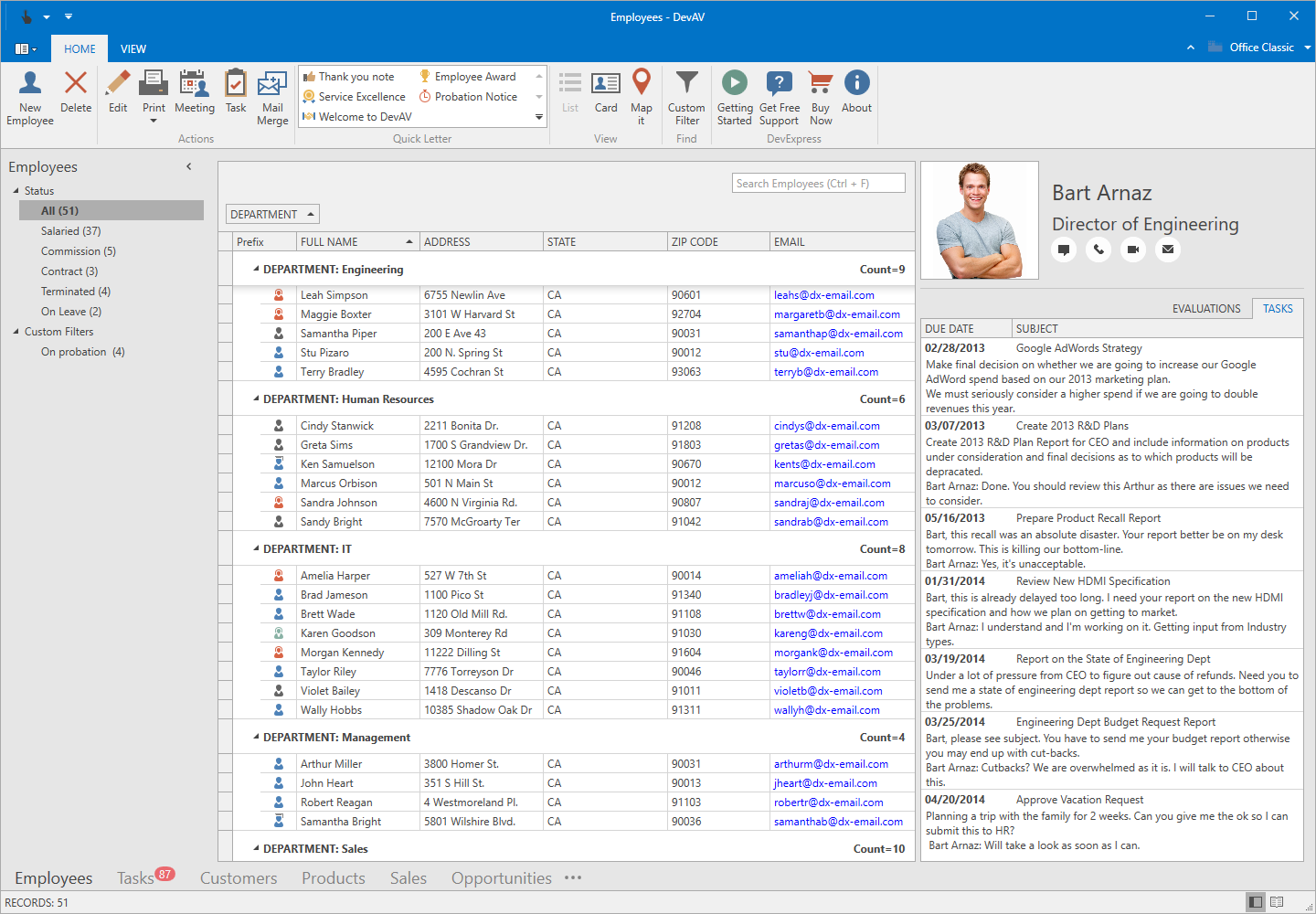
All the screenshots you linked look, and most importantly, work, better than pretty much every "blank canvas" application I have encountered, though I'll admit the last one is worst implemented. Worst, yet still beats the pants off Electron and the like.
> Worst, yet still beats the pants off Electron and the like.
I disagree. Sure, Electron uses a lot of memory, but I have a lot of memory and I don't have a lot of tolerance for awful looking UI widgets that I have to stare at all day.
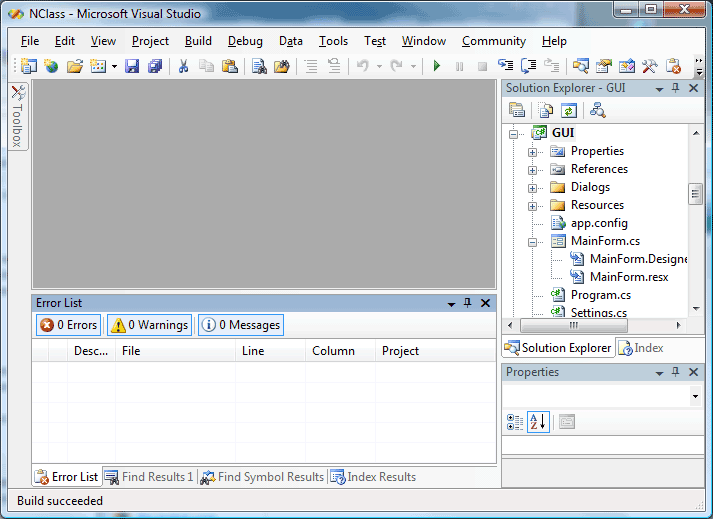
Wait, so can you explain what exactly was awful about those screenshots? I'm genuinely interested since I don't see anything horribly wrong with them (aside from some dated gradients).
Huh, you shouldn't, because there's nothing intrinsically wrong with a mullet. It's not awful, it just probably doesn't serve the function we expect our haircuts to serve (it might, for the right kind of person, of course).
The issue is this analogy absolutely doesn't fly. I sincerely hope software developers don't treat the UIs as haircuts.
> The issue is this analogy absolutely doesn't fly.
Forget the haircut.
It's about taste. I'm not going to waste my time trying to "rationally" explain why something looks bad. It should be obvious to you, if it isn't, no amount of explanation will make you see it.
> It should be obvious to you, if it isn't, no amount of explanation will make you see it.
This is exactly the kind of logic that's often held by design non-professionals and which leads to an unusable mess of a UX if applied. This is not how design works.
I'm not talking about usability. I'm talking about looks. An ugly UI may be very functional and intuitive to use, an ugly button design may well drive the point home that it is indeed a button.
That's not going to change the fact that I hate looking at it and therefore don't want to use it. It's not an either-or, you can have both, either or neither. However, if you use MFC, your app will look bad, end of story.
I'm aware that some people, perhaps most programmers, aren't actually that sensitive when it comes to looks. All I can say is that it matters to me. I can't put it in words any better than I can explain why your haircut looks bad, but it does! On the other hand, if something is annoying or difficult to use, I can explain why.
>I'm not talking about usability. I'm talking about looks.
It was clear.
>However, if you use MFC, your app will look bad, end of story.
That's only your opinion, and my point was it doesn't look bad per se. There's nothing wrong with it aesthetically. It's just your bias/conditioning/what have you, same as with the haircut.
First of all, please fix your quoting, it's unreadable.
Secondly, you can say "it's just your bias/conditioning" about almost anything. Of course it's subjective. There's no such thing as "objectively bad taste". Nothing looks "objectively bad". That's why explaining bad looks is such a waste of time.
Of course it's just my opinion, but when I immediately reject an application because in my opinion it looks like crap, that's the only opinion that matters. Whether or not that hurts your bottom line is a different story. Microsoft isn't exactly known for good taste, yet it's a trillion dollar company.
It would be an ok answer, but the whole discussion started with you saying "On Windows, the native widget toolkits are just awful" which is more than just a statement of an opinion. Then you were asked what makes the screenshots bad and you answered with a sub-par analogy. Only after that you narrowed your aim down to "taste". So, please, fix your discussion tactics, it's bad.
Nothing looks "objectively bad" only in complete isolation and in the absence of context. When you add the world to an object it unavoidably begets aesthetic meaning. So you're wrong there.
I'm sorry for the formatting, can't get used to putting two linebreaks.
What's a real waste of time is arguing with strangers over the internet.
> It would be an ok answer, but the whole discussion started with you saying "On Windows, the native widget toolkits are just awful" which is more than just a statement of an opinion.
To the contrary, that's about as opinionated as an opinion gets.
> So, please, fix your discussion tactics, it's bad.
If it wasn't obvious that it was an opinion on aesthetics from the first reply, it should've been obvious from the second and third. I'm not actually discussing my opinion with you, I'm trying to explain to you why it's pointless to explain further.
You may have noticed that other people chimed in and said things along the lines of "oh no the other stuff is ugly!". I'm not gonna argue with that, those are valid opinions, valid subjective perceptions.
> Nothing looks "objectively bad" only in complete isolation and in the absence of context. When you add the world to an object it unavoidably begets aesthetic meaning. So you're wrong there.
If you think linking to a paper obscures the fact that you're calling me out on 'bullshit', it doesn't. It's rude and in this case just shows your lack of education in a field. Just so you know, there's a whole section of philosophy dealing with beauty and taste, you're free to think it's all bullshit of course, but I hope less people would do so.
> If you think linking to a paper obscures the fact that you're calling me out on 'bullshit', it doesn't.
It's not supposed to obscure it. What you wrote is a specific kind of bullshit that is described in the paper.
> It's rude and in this case just shows your lack of education in a field.
Whatever education made you write that sentence is probably bullshit as well. Or maybe you just didn't give a very good impression of it.
> Just so you know, there's a whole section of philosophy dealing with beauty and taste, you're free to think it's all bullshit of course, but I hope less people would do so.
There are, of course, whole sections of philosophy that are bullshit.
In the words of Judith Butler:
"The move from a structuralist account in which capital is understood to structure social relations in relatively homologous ways to a view of hegemony in which power relations are subject to repetition, convergence, and rearticulation brought the question of temporality into the thinking of structure, and marked a shift from a form of Althusserian theory that takes structural totalities as theoretical objects to one in which the insights into the contingent possibility of structure inaugurate a renewed conception of hegemony as bound up with the contingent sites and strategies of the rearticulation of power."
> There are, of course, whole sections of philosophy that are bullshit.
I'd like to see how you approach design thinking aesthetics is bullshit. I'd be surprised it's any good. Anyway, you should consider the simpler explanation: it's just over your head so you call it bullshit.
> Microsoft doesn't even use them anymore in many of their apps, they often use "free form UI", they also seem to use HTML/Javascript a lot.
Yeah, and I and many other users fucking hate it. It's awful to work with, it's inconsistent, it looks like shit... I don't think it was a decision based on better UX, but rather that it is easier and cheaper to hire kids with no experience with anything but webshit.
What is the security model for hardening a local application?
I see this in the docs
>Hashing important messages with a OTP salt, you are able to encrypt messages between the user interface and the Rust backend. We are currently investigating the use of additional sources of entropy such as the amazing Infinite Noise TRNG.
- all assets are baked into the binary, not an ASAR or some kind of sidecar
- uses minimal javascript obfuscation
- disables console availability in the webview
- detects if it has been invoked from command line and exits
- uses a minimal CSP to prevent the webview from reaching out to unknown resources
- uses an API acceptlist, to treeshake out any unneeded functionality
- injects the code directly into the webview from rust, circumventing the need for a localhost server
- communicates with the event API, which uses randomized handles for all events to prevent static attacks from knowing in advance what a function call will be
- never relies on external resources like remote servers / CDNs
- removes all println! macros from consumer side rust
- uses the forthcoming signed updater system
- has been audited with frida-trace on delegate platforms
It feels like there are good security measures mixed with 'bad' ones in here.
It may be useful to focus more on the why, then the what.
I see you are familiar with frida and know a thing about reverse engineering, so I assume you know that just like most local protectors, someone will just eventually write a wrapper that automatically bypasses all the 'security' measures.
If we take electron as an example, why do I care that Tauri implements all these things, while electron doesn't. How does it make it more secure? Am I supposed to be worried someone is sitting in between my GUI and backend intercepting messages? Is this a common attack vector for electron? I'm really have a lot of questions why to put effort into developing all these things.
This may be a silly nitpick but it bugs me that "Setup for Windows" in the documentation marks node and rust/cargo as "This step is skippable if already satisfied" but VS Build tools as "This step is required". But I already have it installed, I'm not a web developer so I don't have node but I do write native code. Like... Why the silly distinction between dependencies and skippable dependencies?
I know, it's a dumb thing to rant about but for some reason this web-centrism bugs me. :S
Maybe I'm missing something here - can somebody explain the relation to backend interoperability here? This seems, according to the docs, to be a way to make a native app "using virtually any frontend framework in existence."
How much Rust knowledge is required? Is this saying that currently, you can build a native app using virtually any frontend framework in existence... as long as your backend is in Rust? Or am I totally whiffing on what's going on here. I don't have much native dev experience, so maybe my thinking is off.
Tauri builds the entire backend for you, all APIs are available out of the box without composing a single line of rust. If you do know rust, however, you can extend at your leisure.
The team is currently working on a very slim solution that will build your entire project using a deno-based binary and if you stick to the APIs and can stomach the security risk of JS sidecars, you won't even need to have rust installed. That is probably a month or two away...
the core is https://github.com/webview/webview with its rust binding, electron binds chromium and nodejs, I don't really know how webview works, a thin cross-platform API wrapper layer on top of native browser engine for each OS, so that you leverage the pre-installed browser in the OS and use it kind of like a shared library to minimize the app size?
electron always bundles the whole chromium into its binary, what is exactly "webview" comparing to chromium inside electron app?
https://webkitgtk.org/ is what webview uses on Linux, this is gnome's own web engine and has nothing to do with chromium engine, so webview leverages similar web libraries to do the native GUI then.
It's not gnome's own engine at all, it's the forked-a-long-time-ago from KDE's KHTML, adopted by Apple and significantly improved internally under the WebCore project/framework with changes shared from time to time with KDE devs before it was hard-forked as webkit and developed more in the open, then adopted by Chrome/Chromium (before Google hard-forked and renamed it to blink), with gnomifications for integrations and wrappers for the GTK userland.
I'm not sure it's doable to do non-retained accessible UI, as it would essentially require to build a retained mode representation for accessibility interfaces to walk through.
imgui has special applications, but it's becoming ready for more general use - especially in game tools where you want densely packed content over 3D render (or not even).
I thought a native UI application was where you used the user interface components that came with the platform, not bundle a web application.
Also, the only reason the Tauri project has to focus on security in the first place is because it relies on the overly complex HTML/JavaScript security model it chose to build upon in the first place.
It looks like they've moved things around, but as I understand it the Rust bindings C/C++ code is derived from https://github.com/webview/webview/ which uses WebKitGTK
Anyone got a "hello world" example of an app made with this which doesn't rely on other frameworks and uses only vanilla HTML/JS/CSS? All the examples on the site are built on top of vue.js.
i'd like to look more into platform independant (desktop/mobile) development. are there other projects working on the same topic? what are the main advantages / disadvantages?
Write your app in pure Python. Deploy on desktops and mobile devices.
The main disadvantage is that it does not use the native widget toolkit, although there are projects like KivyMD that attempt to replicate the native look and feel by theming the UI.
What is "the" native widget toolkit supposed to be?
As far as I see it, it doesn't exist, on any platform. Every operating system has multiple drawing APIs and multiple frameworks that build on them. The HTML engines are just another framework.
There's no such thing as platform independent UI, at least on that break. You can do a "mobile first" UI that sucks on desktop or a "desktop first" UI that sucks on mobile, or you can just make the decision to only support one first - nail it - then support the other, with a completely different UI.
Sharing code is the easy part. The input and output mechanisms and paradigms are completely different, and designs that work great in one context are difficult or impossible to use in another (eg, key bindings or gestures), and hard problems exist in one area that don't in another (mostly on desktop, windows are terrible).



If we agree that this is a useful approach to take for developing cross-platform applications, and I think it is for most, are web technologies the best way to achieve this or is there a better alternative?
Web tech has the advantage that when you don't have that "game engine" you can still run in a browser, but with these engines getting better, more storage, more use of app stores, and the fact that these apps are very much that, apps, and not publicly indexable web content, maybe this isn't a useful advantage anymore? Web tech also brings a number of disadvantages, such as a different security model and unnecessary legacy compatibility that holds back modernisation.